
WhatsApp with Siri: Messages, Calls, and Unread Limits
WhatsApp documents Siri support for sending messages, making calls, and reading unread messages on iPhone. Enable Siri and its WhatsApp permission, then check the task's result. Unread reading has a specific notification-badge limitation. This is native Siri guidance, without evidence of arbitrary chat access, Shortcuts actions, or a new Siri AI integration.
What can you do with WhatsApp and Siri?
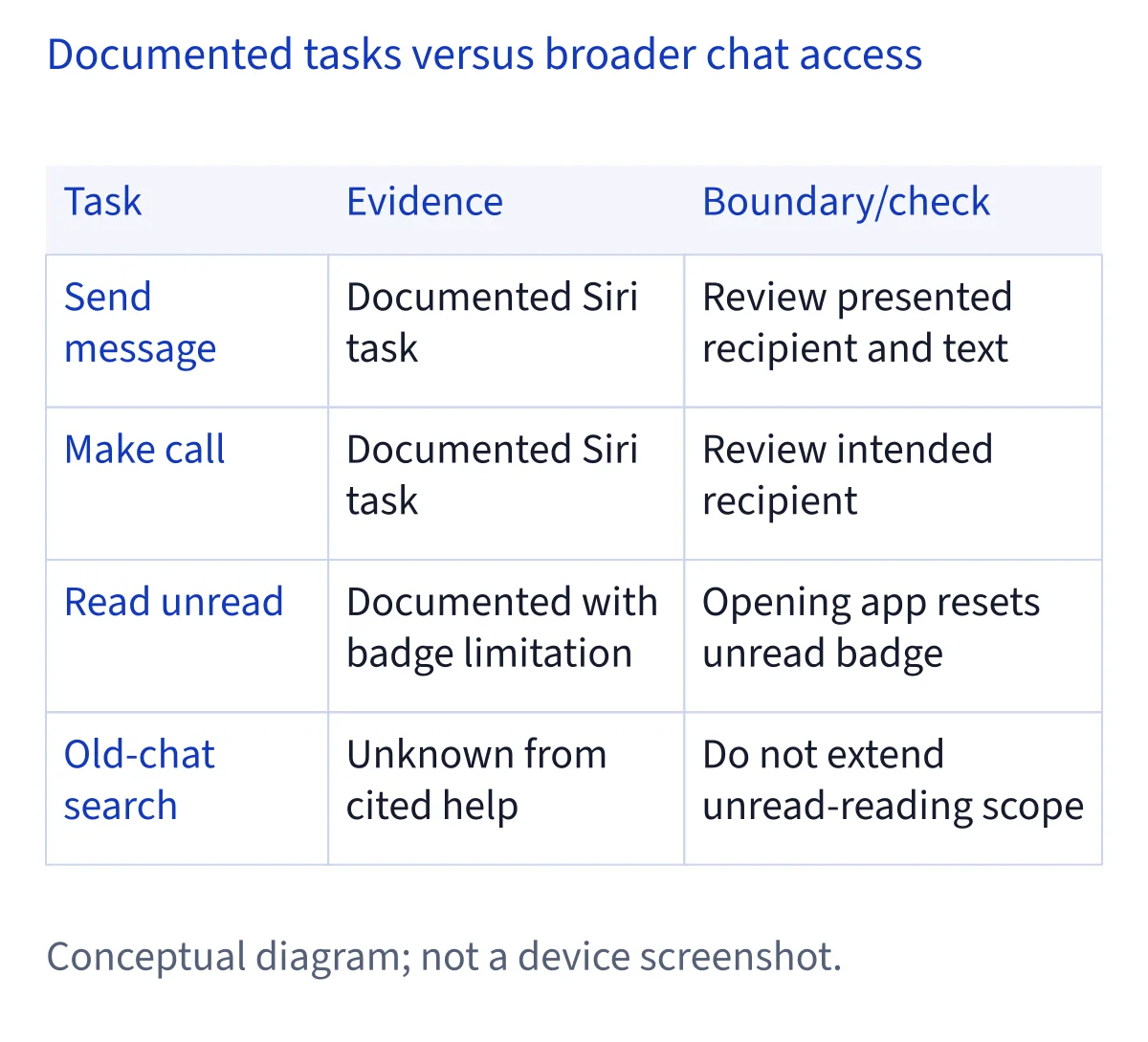
WhatsApp's official iOS help documents three task categories: send a WhatsApp message, make a WhatsApp call, and read unread WhatsApp messages. Start with the category that matches your goal. Sending requires you to identify whom you intend to contact and what you want to communicate; reading unread messages depends on an unread condition that the article describes separately. Combining those tasks into a broad request to handle all your conversations would exceed the documented scope.
This guide applies to the iPhone Siri setup described by WhatsApp. It does not extrapolate those instructions to desktop clients, other assistants, or every device that can run WhatsApp. The help establishes existing native Siri functionality, without announcing a new integration that reasons across personal context. You can use that positive evidence without treating it as proof of any directory status. No device test was performed for this guide, so your own result remains a setup observation rather than a result we have verified on hardware.
How do you enable Siri and allow WhatsApp?
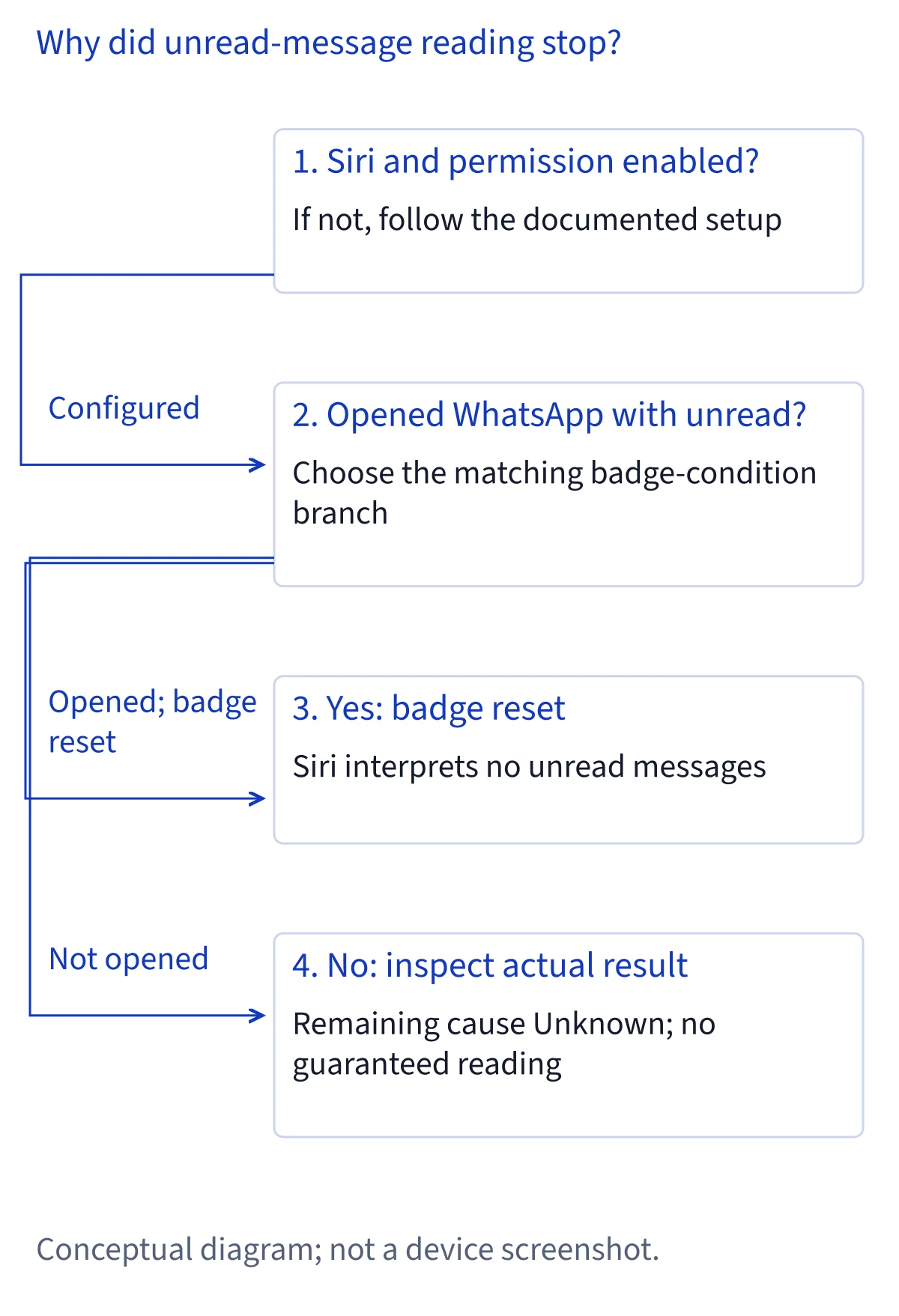
First follow the assistant setup in WhatsApp's instructions. In iPhone Settings, open Siri and the setting described as Talk to Siri. The sequence includes enabling Press Side Button for Siri and confirming Enable Siri if prompted. Follow the labels and choices on your installed system. These names identify the documented controls; they are not a promise that every iOS release presents the same screen. Enabling the assistant is the first check, separate from allowing it to work with WhatsApp.
Next return to Siri settings, open Apps, select WhatsApp, and enable the permission identified as Use with Ask Siri in the official instructions. Review what the actual device asks you to allow. The Spanish text here describes that permission rather than inventing an exact translated switch label. If Siri activates but a WhatsApp task does not work, check this app permission separately. A functioning side button alone does not show that the WhatsApp permission is enabled, and finding the permission does not establish access to every chat or attachment.
How should you check a message or call before proceeding?
Request one operation at a time and make WhatsApp and the intended recipient clear. This is practical setup advice, not a quoted official spoken command. The source establishes sending and calling but supplies no exact voice examples or detailed recipient-matching rules. If Siri offers a contact choice or asks for clarification, inspect that choice before proceeding, especially when people have similar names. For a message, check any presented text as well as the recipient; a correctly recognized name does not establish that the message content is correct.
The article does not guarantee a particular confirmation screen or an unattended send. Follow the interaction you actually see instead of expecting a fixed number of prompts. If the result is unclear, inspect WhatsApp before repeating the request so you can determine whether the first attempt completed. That is an editorial way to avoid uncertainty, not a claim about delivery receipts or guaranteed duplicate prevention. General call support should also stay general: the article is not a basis for promising video calls, group calls, or every contact configuration.
Why can opening WhatsApp stop Siri reading unread messages?
WhatsApp documents a specific notification-badge limitation. Opening the app when unread messages are present resets its notification badge. Siri interprets that reset as having no unread messages and does not read them. Opening WhatsApp to inspect the messages can therefore change the very condition involved in the reading request. A failed unread-reading attempt after that action should not automatically be diagnosed as a missing Siri permission.
When checking this symptom, distinguish what happened before and after opening the app. If you already opened it with unread messages, the documented limitation may explain Siri's response even though sending or calling still works. The article does not offer a Siri procedure to restore the earlier badge state. This guide therefore recommends no badge-restoration trick and makes no promise that manually changing a message's state recreates the earlier condition. You can inspect messages directly in WhatsApp when you need them, while recognizing that this is a different route from asking Siri to read unread messages.
Which troubleshooting branch matches your symptom?
If Siri does not activate, return to the assistant setup described in the official article and check the side-button setting. If Siri activates but the WhatsApp operation does not proceed, review the WhatsApp permission under Siri's app settings. These checks follow the two parts of the official setup; they do not identify every possible cause. If menu labels differ, compare the installed controls with the current official instructions rather than enabling unrelated permissions at random.
If sending or calling works but unread reading does not, examine the badge-reset condition instead of treating all WhatsApp Siri tasks as broken. If the wrong person is selected, resolve the recipient before continuing; the source does not supply an automatic contact-matching repair. If a send or call result remains uncertain, inspect the app rather than assuming a spoken response proves completion. Keep a short account of the task, the prompt shown, and whether WhatsApp had been opened. Those observations are useful for support without requiring you to copy private messages into a troubleshooting report.
Can Siri search any chat or process messages privately on-device?
The documented reading capability is unread-message reading. It does not establish retrieval of any older message, searching arbitrary conversations, summarizing complete histories, or combining chat contents with information in other apps. A request outside that scope should not be presented as a supported variation of the same task. Similarly, enabling Use with Ask Siri does not establish a general permission contract for all chat contents. Keep the permission and the specific documented tasks connected when describing what the setup achieves.
WhatsApp refers readers to Apple Support for information about using Siri and how Apple handles data sent through the assistant. That referral does not itself establish a retention period, an encryption exception, or local-only processing. If those questions affect your decision, read the relevant current Apple information before sending sensitive content through Siri. This guide does not replace that privacy documentation. You can limit a setup check to the minimum information needed to identify a task; there is no reason to share a conversation history merely to show that a permission is enabled.
Does this establish Shortcuts or Apple Intelligence support?
The article establishes native Siri tasks and setup. It does not establish native Apple Shortcuts actions, App Intents implementation, scheduled messages, unattended execution, or a new Siri AI integration. Finding WhatsApp in Siri settings is evidence of the documented permission, rather than proof that an equivalent action appears in the Shortcuts editor. A workflow based on a share target would need its own evidence and should not be substituted for the native messaging capability described here.
The cited WhatsApp help also provides no separate Apple Intelligence eligibility column on which this guide can base expanded claims. Do not borrow Spotify's system, language, or regional conditions and apply them to WhatsApp. To extend the article to an Apple Intelligence experience or this site's new Siri AI Beta, obtain documentation for that specific integration, its available tasks, requirements, confirmation behavior, and public or beta status. Until then, the existing Siri capabilities remain useful on their own terms and the app-directory candidate remains evidence-specific deferred.
Sources and verification
Reviewed November 6, 2026, using WhatsApp's official Siri help article previously read in full. The retrieved article was in Chinese; this guide explains its task statement, setup sequence, badge limitation, and Apple Support referral in English and Spanish. It does not invent official spoken examples or exact Spanish interface labels. Recipient review and result inspection are editorial suggestions. No hardware test, locked-screen guarantee, privacy-policy audit, or confirmation-sequence test was performed. For future updates, compare those specific official instructions before changing the capability scope, rather than treating a new page heading or an isolated Siri mention as proof of broader access.
Common questions
Can Siri read all my WhatsApp conversations?
The official article documents reading unread messages, not arbitrary access to chat history. It does not establish old-message search, full-conversation summaries, or personal-context reasoning across apps. Opening WhatsApp with unread messages also resets the badge, which Siri interprets as having no unread messages available to read.
Which WhatsApp permission should I enable for Siri?
WhatsApp's instructions enable Siri first, then open Siri settings, Apps, WhatsApp, and the permission described as Use with Ask Siri. Check the labels on your installed system. This authorizes the documented Siri workflow; it is not evidence of a native Shortcuts action or unrestricted access to conversations.
Why does Siri report no unread messages after I open WhatsApp?
WhatsApp says opening the app with unread messages resets its notification badge. Siri interprets that reset as no unread messages and does not read them. The article supplies no Siri workaround to restore the previous condition. This specific limitation does not negate its separately documented sending and calling capabilities.
Does WhatsApp always send without confirmation?
The cited help does not establish unattended sending or a guaranteed confirmation sequence. Check any recipient choice, message text, or clarification that your device presents. If completion is unclear, inspect WhatsApp before repeating the task. This is practical checking advice, not a device-tested promise about what Siri will display.
Does this make WhatsApp Siri AI verified?
No. Existing Siri tasks and a Siri permission do not establish the new integration required by that directory label. The article also does not establish native Shortcuts actions. This standalone guide preserves the useful documented tasks while the app candidate remains evidence-specific deferred under the directory's unchanged four-state contract.