
GestaltX: Apple Intelligence Claims, iOS and eSIM Facts
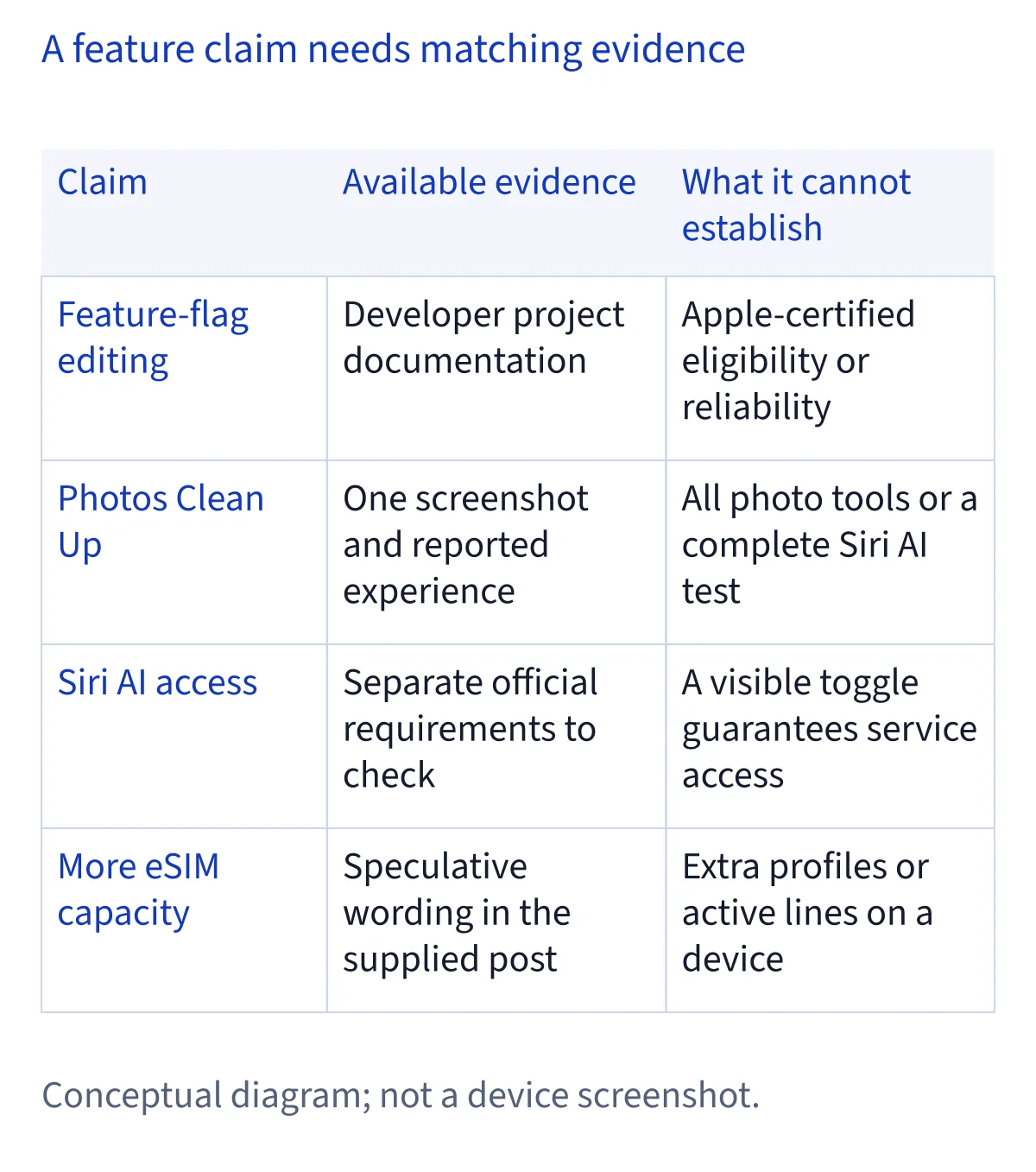
GestaltX is an unofficial MobileGestalt editor, not an Apple release or a verified Siri AI integration. Its current documentation describes feature changes and activation attempts. A Photos Clean Up report does not establish full Siri AI access, and the screenshots reviewed here do not verify extra eSIM capacity.
What is GestaltX, and what does the project claim?
GestaltX describes itself as a MobileGestalt editor for iPhone and iPad. The current repository lists display and device presets, Apple Intelligence capability options, a field editor, backups and change-review features. Those are descriptions from the developer, not a certification from Apple or a record of our own device tests. The distinction matters when a short post compresses several different capabilities into the phrase full AI.
The project's README itself says presets modify capability flags and that actual effects depend on the device and operating system. It describes attempts to activate features on China-mainland devices while also saying availability depends on the model, OS and Apple services. That is narrower than a promise that every feature works. We therefore cover GestaltX as a project explainer, rather than labeling it a verified Siri AI app in our directory.
Which release should you compare with the screenshots?
The newest published release we checked on November 9 was v1.0.2, published at 10:06 UTC, or 18:06 UTC+8. The supplied screenshots show earlier 1.0.0 and 1.0.1 descriptions. Reading them as one unchanged release would hide a material update: 1.0.2 says it fixes how disabling a preset handles existing and originally absent fields, and adds persistent original-value records and individual Revert controls.
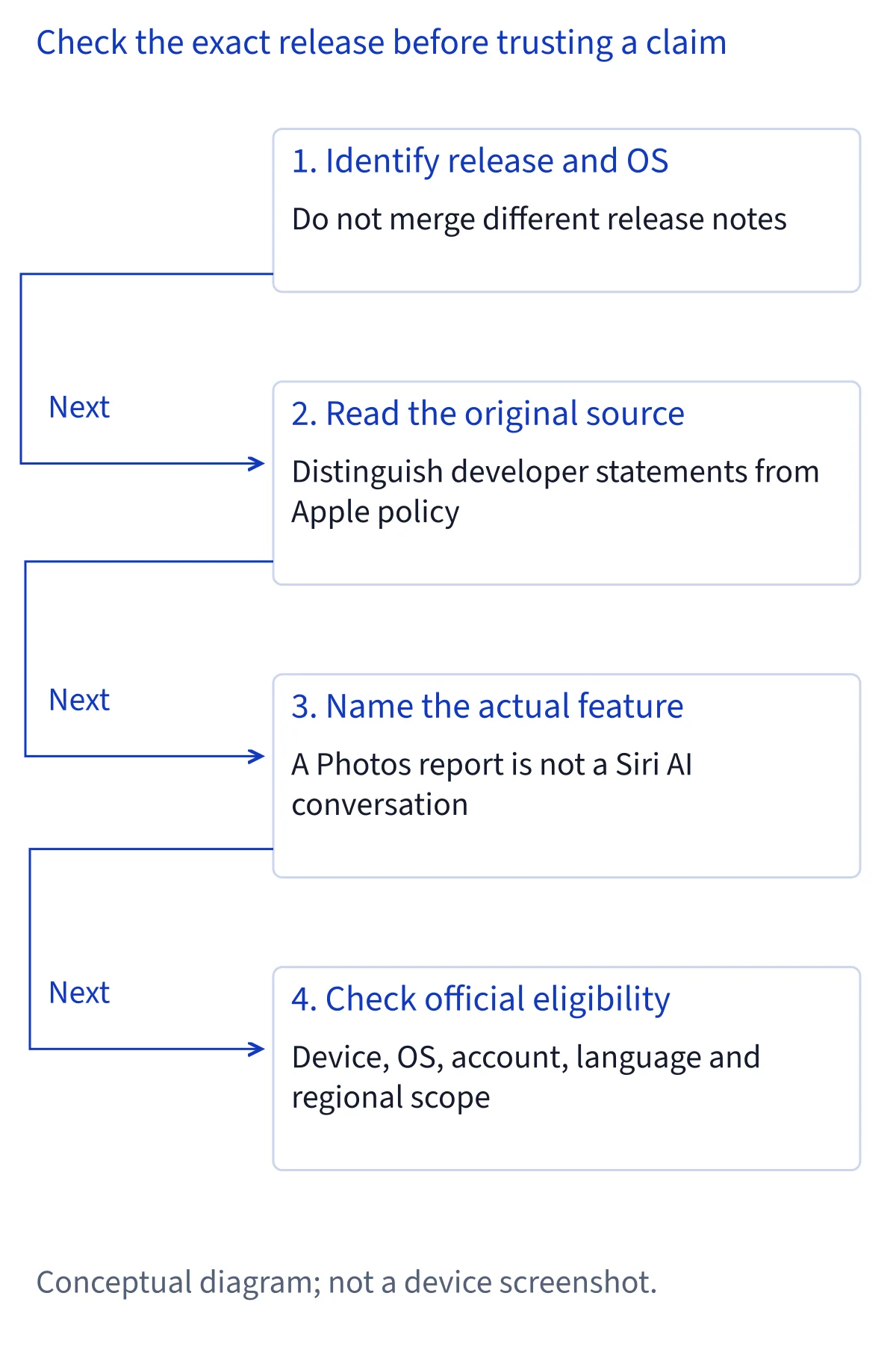
Compare a version's own release page with the current README. A README on the main branch can change after a release, so it is not automatically a frozen description of the older binary. Likewise, a repository creation time is not evidence that every feature first launched then. We cite the developer's canonical repository and release page rather than rehosting an IPA or treating a forwarded attachment as an authenticated release. A published release note establishes what the maintainer says changed; it does not independently prove the fix succeeds on your phone.
Does GestaltX support iOS 26 or iOS 27?
The current README explicitly supports iOS and iPadOS 27.x and says 26.x is not supported for on-device MobileGestalt access. It separately mentions local property-list editing. These are different operations: the presence of a local editor does not demonstrate supported access to a phone's active configuration. The 1.0.0 screenshot's broader 26.0–26.7.2 wording should not override the current, more specific statement.
Check the exact OS release on the device, the project release under discussion and the operation the documentation names. The project also lists signing requirements, so merely being on a numbered OS version is not a complete compatibility check. We did not install the application, exercise its access mechanism or verify behavior across builds. Nothing in this article guarantees that a future OS update preserves its behavior. For official Siri AI support, use the separate Apple device and setup requirements; project compatibility and Apple service eligibility answer different questions.
Does the Photos Clean Up screenshot prove Siri AI works?
No. The screenshots reviewed for this article include one person's report of continued Photos Clean Up use and a Photos Tools screen. The visible controls are Clean Up, Extend and Reframe. The image does not show a completed before-and-after removal, a Siri AI conversation, app actions or a test of every Apple Intelligence feature. We do not turn that personal report into our own hands-on result.
Apple documents advanced photo-editing tools within Apple Intelligence and describes Siri AI separately. A result in one photo feature therefore needs its own scope. If your practical goal is removing an unwanted detail from a photo, the useful next step is to check the documented Photos requirements and controls. If your goal is conversational Siri AI, check its setup and availability instead. The seven interface languages advertised by GestaltX are also the tool's UI languages, not a new list of languages supported by Siri AI.
What does Apple currently say about China-mainland access?
Apple's current Apple Intelligence support article says the features do not currently work on supported devices purchased in China mainland. For supported devices purchased elsewhere, it describes a different combined condition involving being in China mainland and having an Apple Account country or region there. Device purchase market, present location and account region are therefore distinct facts, not interchangeable labels.
The separate Siri AI setup page has its own regional language, including a mainland-China account restriction. Read the document for the feature you actually want rather than treating the broader Apple Intelligence list as a universal Siri AI entitlement. These official statements describe supported availability; they do not independently test or explain every modified-device anecdote. Conversely, an anecdote does not change Apple's published conditions. Our compatibility checker continues to report the official requirements, and this article does not provide a procedure for changing regional identifiers to bypass them.
Can GestaltX unlock more eSIM profiles or active lines?
The supplied post does not establish that claim. Its wording wonders whether eSIM limits might also change; it does not present a controlled capacity test or carrier confirmation. We found no basis in the reviewed project release notes for promising extra profiles or additional simultaneously active lines on iPhone Air or iPhone Duo. Stored profiles, an activated mobile plan and concurrent service are different things to verify.
Apple's eSIM setup guidance requires a compatible model and an eSIM-supporting carrier or provider. Its mainland-China section lists specific eligible models rather than offering one rule for every imported or locally sold phone. A carrier-issued plan still has an activation process. That guidance is the right starting point for a connectivity question; a screenshot about Apple Intelligence is not evidence of carrier provisioning. Check the exact model and the carrier's documented support before making a decision about an eSIM-dependent phone. We do not infer extra capacity from a changed regional label.
Apple's China-mainland-specific page explicitly says up to two eSIMs can be activated and stored on the same mainland-purchased supported iPhone. It names iPhone Air A3518 and Duo A3721 among supported models. That specific rule should not be replaced by the generic page's broader storage wording. Its travel section also says reactivating a deleted home eSIM requires a carrier-store visit. Nothing in the reviewed GestaltX material demonstrates a change to that official limit.
What changed in backups and Revert in version 1.0.2?
The 1.0.2 release says an originally absent field is removed when its preset is disabled, while an existing field regains its recorded value and type instead of being uniformly set to zero. It also describes automatic initial backups, persistent original-value records and individual Revert controls. Those details matter when comparing advice written for earlier releases: turning something off is not always equivalent to restoring the previous configuration.
However, an application's record of values is not automatically a complete device backup or proof of an untouched factory state. The README describes records from before the tool's changes and warns that MobileGestalt modification can cause instability or require a device restore. We have not tested restoration, persistence after reopening or recovery from a failed write. Treat the release's fixes as developer-reported changes. Do not interpret the existence of a backup button, an open-source license or a successful screenshot as a guarantee of recovery.
Which next step fits the feature you actually need?
Start with the outcome you want, not the phrase unlock AI. For photo cleanup, use the Photos guide to identify the supported tool and inspect the actual edit. For Siri AI, check the device, OS, matched languages and regional conditions, then distinguish a missing setting from a waitlist or a download. For mobile connectivity, use model-specific Apple and carrier information. These paths lead to different answers even when the posts discuss the same phone.
If you are researching GestaltX itself, keep the release number and the specific claimed feature together. Record whether the evidence is a developer description, an individual report or an official support condition. An unavailable older repository alone does not establish why an account changed or whether a replacement is trustworthy. We cite the current maintainer repository and state our reading date. We do not distribute a patched build, claim first-hand testing or turn this explainer into an endorsement.
Common questions
Does GestaltX officially enable Siri AI on China-mainland iPhones?
No official enablement is established here. GestaltX is a third-party project whose README describes activation attempts and says results depend on the model, OS and Apple services. Apple's published regional requirements remain separate. The screenshots reviewed for this article do not demonstrate every Siri AI feature or constitute our own device tests.
Can I assume GestaltX works on iOS 26 because an older screenshot says so?
No. The current README says iOS and iPadOS 27.x are supported and 26.x is not supported for on-device MobileGestalt access. It separately mentions local property-list editing. Compare the exact release and operation being discussed; a screenshot of earlier wording does not establish support in the current version.
Does a working Clean Up button prove all Apple Intelligence features work?
No. A visible button, an individual's reported edit and a complete feature test are different evidence. Apple describes advanced photo editing and Siri AI separately, with feature-specific availability. Check the actual photo result and the documented conditions for each function rather than extending one report to conversations, app actions or other tools.
Does GestaltX increase eSIM capacity on iPhone Air or iPhone Duo?
The reviewed evidence does not establish that. The supplied post speculates about eSIM limits without a demonstrated capacity test or carrier confirmation. Apple's eSIM guidance still depends on the exact device and provider. Stored profiles and simultaneously active lines should be checked separately; neither is proved by a photo-editing screenshot.