
Siri AI Languages: What Works and How to Set Yours
Siri AI (Beta) currently supports English, French, Japanese, Korean, Portuguese, and Spanish. Traditional Chinese, Norwegian, Turkish, and Vietnamese are planned expansions, not current general availability. To use a supported language, set both your device and Siri to that same language, then check your device and Apple Account region.
Which Siri AI languages are available now?
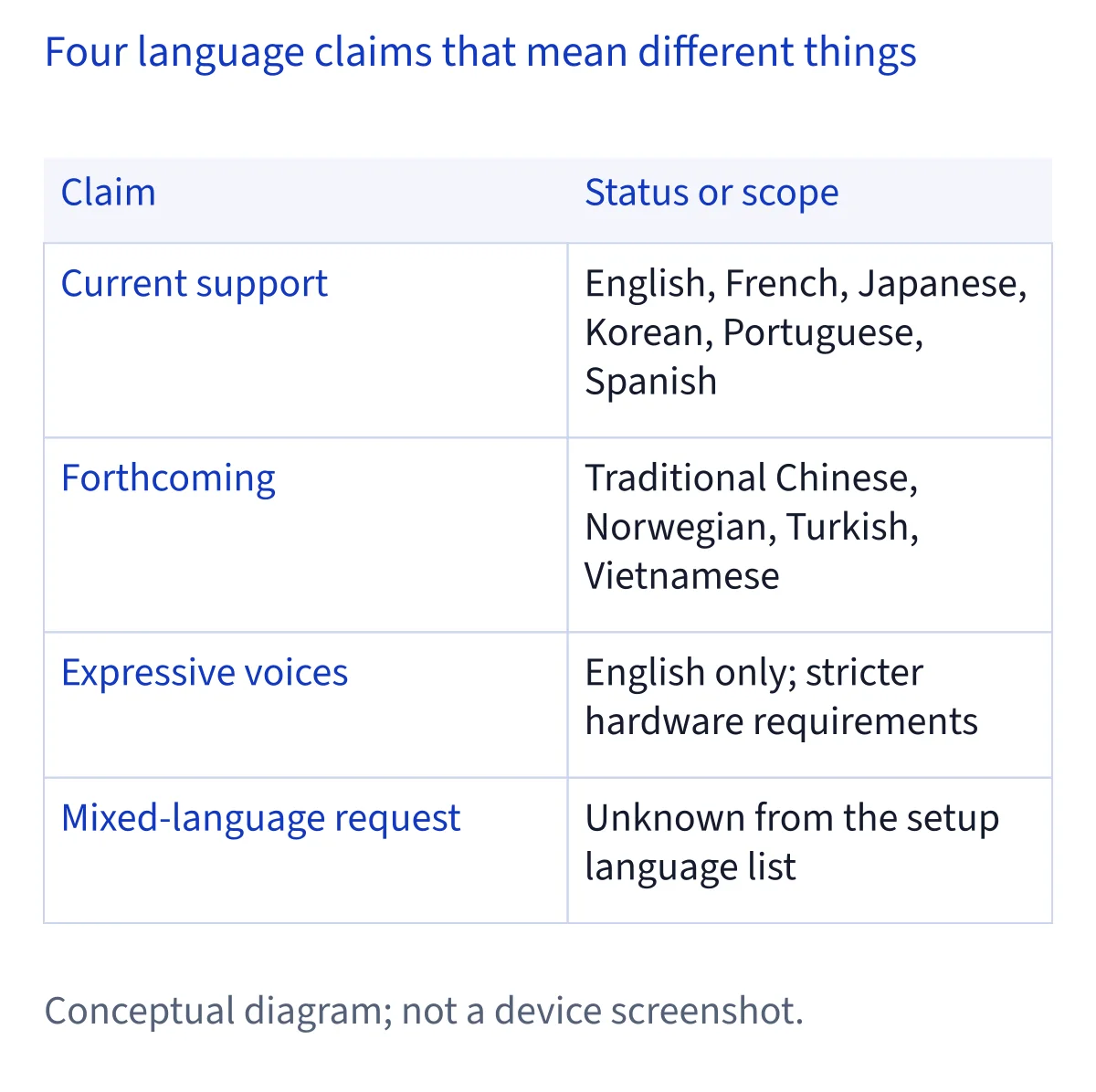
Apple currently lists six languages for Siri AI (Beta): English, French, Japanese, Korean, Portuguese, and Spanish. That is the list to use when checking whether your chosen language qualifies today. An earlier launch announcement or an older guide that mentions only English does not describe the current language list. Apple’s support information covers the consumer setup, while its developer announcement also distinguishes the current languages from the next planned additions.
Spanish is on the current list. That answers the broad question of whether Siri AI is available in Spanish, but it does not establish support for every Spanish locale, accent, or regional variant. Nor does language support override device, operating system, or regional conditions. If you are choosing settings for a particular device, check the exact language choices offered there and assess the rest of your setup separately. Keep the language list and the device list together when deciding whether the feature should appear.
Which languages are coming later?
Apple says Siri AI language support will soon expand to Traditional Chinese, Norwegian, Turkish, and Vietnamese. Those four belong on a forthcoming list, separate from the six languages available now. The developer announcement describes the expansion but does not give a public availability date for each language. A language appearing in discussion of a beta or a future release is not, by itself, evidence that everyone can select it for Siri AI today.
If one of these four is your preferred language, check Apple’s current support list again before changing your settings for it. You can also decide whether using one of the six currently supported languages suits you in the meantime. Treat that as a personal choice, not a requirement to change languages or a promise that every feature will behave identically. This page records the distinction as reviewed on November 6, 2026; the current support list is the relevant check when you set up a device later.
How do you match the device and Siri languages?
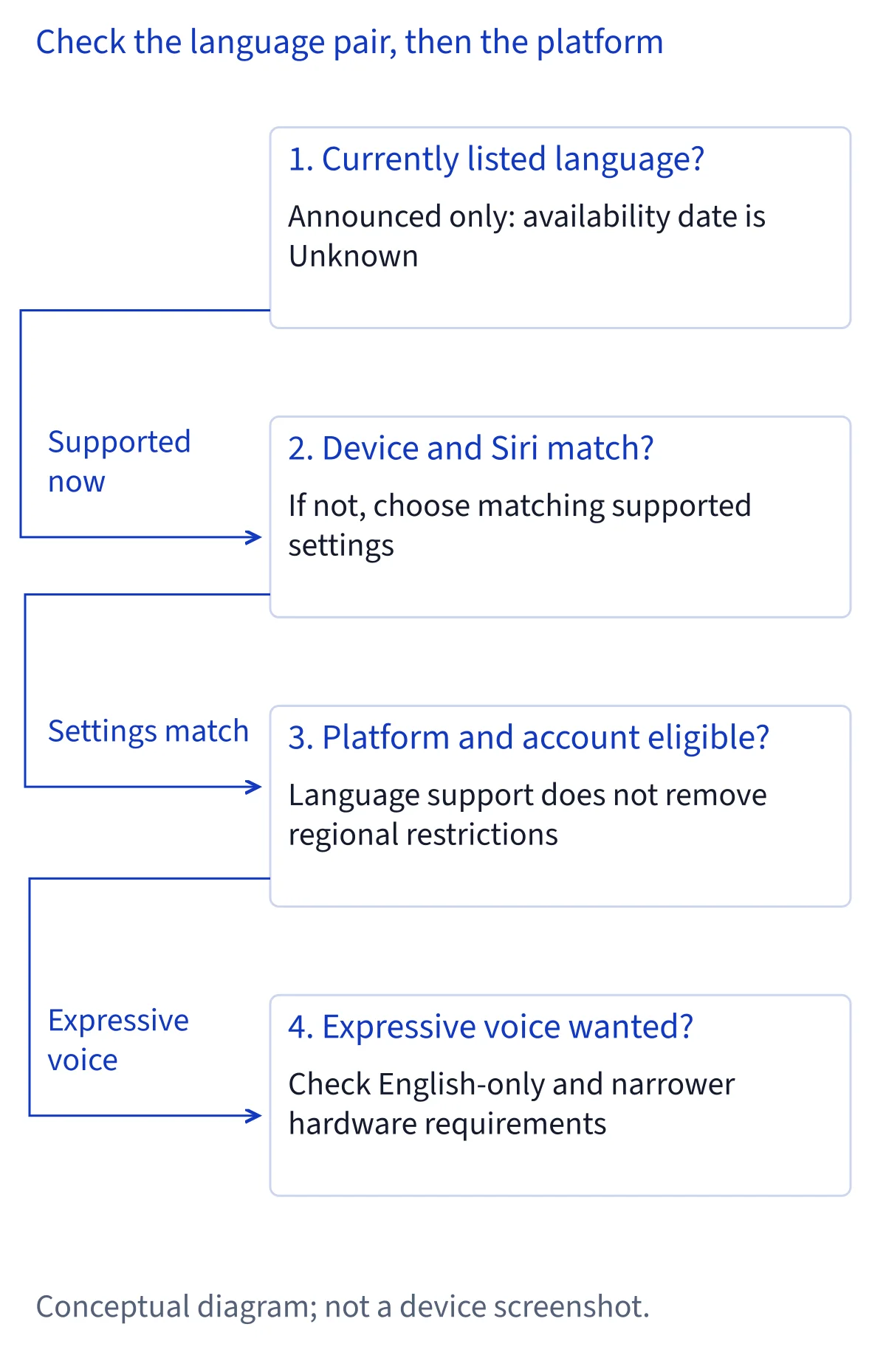
Apple requires the device language and the Siri language to be the same supported language for Siri AI. Read both current values before changing either one. This helps you identify an actual mismatch instead of changing a setting that was already correct. If you want Spanish, the relevant check is whether both settings are Spanish and whether the rest of your setup meets Apple’s conditions. Merely seeing Spanish somewhere among your device’s available language options is not a complete Siri AI eligibility check.
A practical way to proceed is to note your existing device language, inspect your Siri language, and change only the value needed to make them match in a language on Apple’s current list. Then return to Siri settings and look for the beta option. These are troubleshooting steps, not additional Apple requirements. Apple’s published setup path is Settings → Siri → Try Siri AI (Beta); the English labels here identify the controls in its documentation. The wording on your own screen may differ, so follow the controls actually shown on your device.
What happens after you choose a supported language?
Matching languages is one part of setup; Siri AI (Beta) still needs to be turned on. Apple directs you to Settings → Siri → Try Siri AI (Beta). If Siri is off, choose Turn On Siri first. Follow the prompts to select a voice, complete voice enrollment, and review the privacy settings. Choosing a Siri voice happens during setup, but it should not be confused with expanding the list of languages supported by the full Siri AI service.
Apple says Siri AI downloads automatically after you request it. When demand is high, you may first be placed on a waitlist, and the time can vary. A delay at this stage does not, on its own, show that your chosen language is unsupported. Check whether the beta option appears, whether you can begin setup, and whether you are waiting for access as separate questions. If the option itself is absent, return to your device, system, language, and region checks before drawing a conclusion about the language.
Does Spanish support mean access throughout Latin America and Europe?
Spanish language support and regional availability answer different questions. For a reader in Latin America, Spanish appears on Apple’s current language list, so there is no need to assume that English is the only eligible language. You still need a supported device and system, matching device and Siri languages, and an eligible Apple Account region. Apple’s language list alone does not establish availability in every Latin American country or guarantee any particular Spanish regional variant.
The European Union has an explicit platform restriction. Apple says Siri AI is unavailable there on iOS, iPadOS, and watchOS. On macOS 27 Golden Gate and visionOS 27, Apple allows it with an EU Apple Account when the device and Siri languages match in a supported language. That rule is about the platform and account region, not whether Spanish is linguistically supported. Changing a language setting cannot turn an ineligible EU iPhone into an eligible device. Check the platform first, then the account region and language settings.
Are expressive voices available in every Siri AI language?
No. Apple lists expressive voices as English only and gives them narrower hardware and memory requirements than basic Siri AI. That means two people can both have access to Siri AI while only one has access to those voice features. It also means Spanish appearing on the main language list does not imply Spanish expressive voices. Check the feature you care about, rather than treating every Siri AI language or voice option as the same capability.
Apple identifies specific eligible devices for expressive voices, including certain recent iPhones, the iPad mini with A20 Pro, qualifying M4 or later iPads with at least 12 GB of memory, qualifying M3 or later Macs with at least 12 GB, and Vision Pro with M5. This is a separate, stricter list. If an expressive voice is missing, confirm the language and hardware requirements for that feature before diagnosing a failure of Siri AI itself. Ordinary Siri AI eligibility and expressive voice eligibility should remain separate checks.
Can you mix languages in one Siri AI request?
Apple’s current language list confirms which languages are supported for setup. Its requirement that the device and Siri use the same supported language concerns those settings. Neither statement, on its own, promises that you can switch languages halfway through a spoken request, combine two languages in one command, or receive an answer in a different language every time. Multilingual availability and mixed-language understanding are different capabilities; avoid assuming one proves the other.
If you normally move between languages, choose the supported language you expect to use most for Siri AI and check that the two settings match. That is practical advice, not an Apple rule about how you must speak. You can try a request in your own circumstances, but a single successful or unsuccessful attempt would not establish general support across devices, regions, accents, and requests. For published availability, rely on Apple’s language list; for a specific interaction, judge the response you actually receive.
What should you check if your language seems unavailable?
Start by identifying the exact language you want. Is it one of Apple’s six current Siri AI languages, or one of the four announced for later expansion? If it is current, read the device and Siri language settings and make sure they match. Next, check the device and operating system, followed by the Apple Account region and any platform restriction. This order is a suggested way to isolate the cause; Apple does not require you to perform checks in a particular sequence.
If those conditions appear to fit, distinguish a missing Try Siri AI (Beta) control from a waitlist after you select it. They call for different follow-up. If Siri is off, Apple says to turn it on before trying the beta. If you already enabled Siri AI and are having trouble with its responses, look at troubleshooting for problems after setup. Recheck Apple’s support page when availability changes: a future language announcement or a beta mention should not silently replace the current consumer list.
Common questions
Is Siri AI available in Spanish now?
Yes. Spanish is one of the six languages on Apple’s current Siri AI (Beta) support list. Set your device and Siri to the same supported language, then check your device, operating system, and Apple Account region. The general listing of Spanish does not guarantee access in every country or confirm every regional variety of Spanish.
Can I use Siri AI in Traditional Chinese, Norwegian, Turkish, or Vietnamese?
Apple describes those four languages as forthcoming expansions. They are separate from the six languages it currently lists for Siri AI. Apple’s developer announcement does not provide a public availability date for each one. Before changing your setup for a newly announced language, check Apple’s current consumer support page to see whether its status has changed.
Will setting my EU iPhone to Spanish make Siri AI available?
No. Apple says Siri AI is unavailable in the EU on iOS, iPadOS, and watchOS. Spanish being a supported language does not remove that platform restriction. Apple separately permits Siri AI on macOS 27 Golden Gate and visionOS 27 with an EU Apple Account when the device and Siri use the same supported language.
Do the device and Siri have to use the same language?
Yes. Apple requires both to be set to the same supported language for Siri AI. Check their current values before changing anything, then select a language on Apple’s current list if they differ. This requirement concerns your settings; it does not, by itself, establish whether Siri AI understands a spoken request that mixes languages.